1
Save or share the voicemail audio
Use the available Share, Send, Save, or Export option to keep an authorized audio copy on your device.
Drop audio or video here
or browse your files
Save or share a voicemail from your phone or phone system, then upload the audio file to create an accurate, editable transcript.
3 free transcriptionsNo sign-up requiredNo credit card required
Four steps from a phone message to written text
Use the available Share, Send, Save, or Export option to keep an authorized audio copy on your device.
Drop audio or video here
or browse your files
Choose the saved MP3, M4A, WAV, or AAC file and upload it to ToText.
Confirm the spoken language, enable any useful settings, and start transcription.
Check the caller's words against playback, correct names and numbers, then save and export the transcript.
From a saved message to useful written details
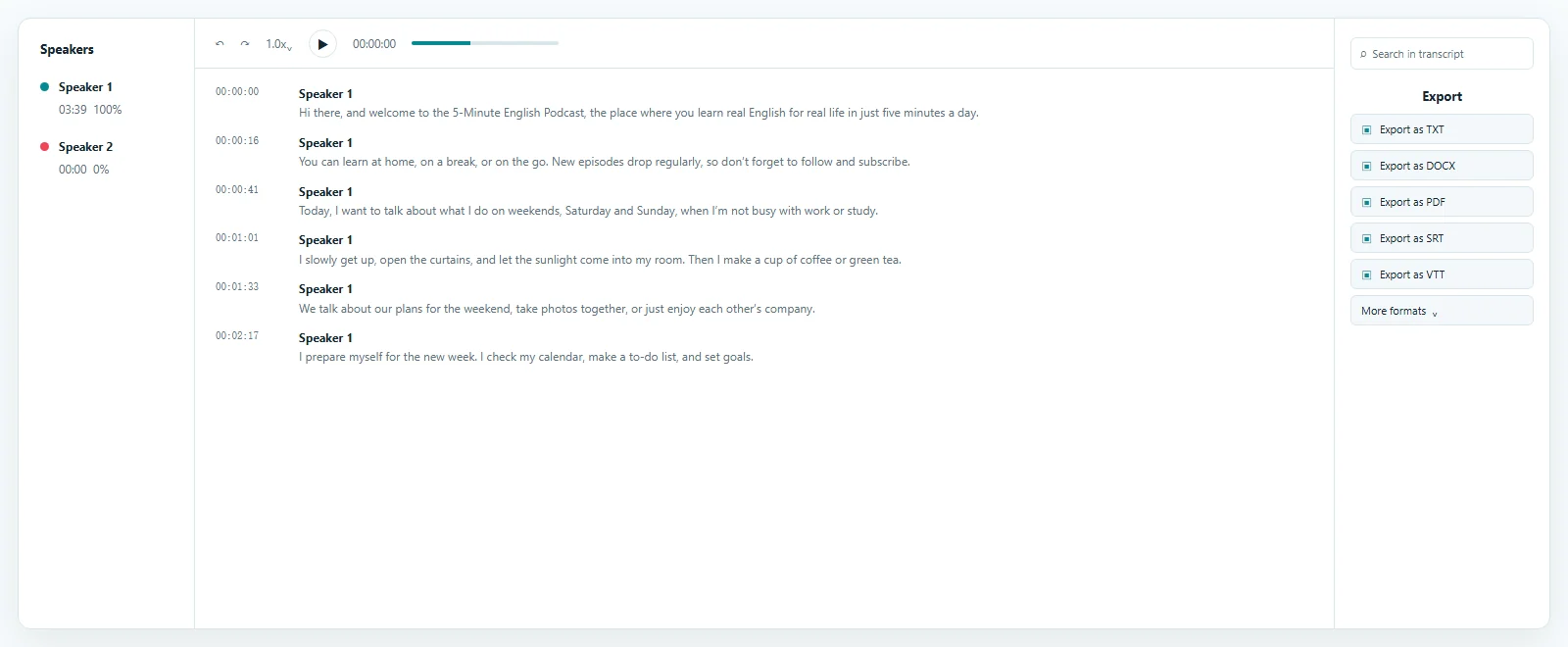
A voicemail to text result pairs editable wording with playback for checking names, numbers, addresses, times, and requests.
Get an audio file before starting transcription
A voicemail to text upload begins with Share, Send, Save, or Export.
Open Phone, find Voicemail, select the message, tap Share, and choose Files or another destination.
Read Apple's voicemail guideSelect the message in Phone or Visual Voicemail and find Share, Send, Save, or Export. Options vary.
Read Google Phone HelpUse Google Takeout, a business export, or an audio email attachment before you transcribe voicemail to text.
Read Google Voice export helpMake spoken details easy to read and reuse
Here, translate voicemail to text means turning spoken audio into writing you can read, search, edit, and share.
It does not promise another-language translation.
Upload the saved message, then verify unclear words against the caller's voice before sharing the written result.
Turn a rough draft into a dependable record
A voicemail to text transcript can be edited, searched, and exported.
Replay and correct names, numbers, addresses, codes, dates, and appointment times. Speaker labels can separate forwarded voices.
Search the voicemail to text transcript or keep a reviewed record. Export TXT, DOCX, PDF, SRT, or VTT.
Keep the saved audio until names, numbers, dates, and requests have been verified.
Use an uploaded-file workflow when native text is not enough
Use voicemail to text when native text is missing, inaccurate, or not exportable.
Saved-file voicemail to text also supports older recordings and authorized business files.
ToText does not activate, repair, receive, or monitor voicemail. The voicemail to text service starts with saved audio and remains separate from your inbox.
Create an editable draft with playback.
Convert voicemail to text for a document or searchable record.
Process past files without inbox access.
Review authorized business exports individually.
Practical records built from missed calls
Voicemail to text is useful when a caller leaves details or tasks to revisit.
Create searchable voicemail to text records from customer and support messages.
Create a voicemail message to text record for family, medical, school, or service details.
Review details without replaying everything.
Extract requests, actions, and next steps.
Use voicemail to text for older saved recordings.
Answers before you upload
Voicemail to text changes a saved message's speech into an editable written transcript.
Save the audio, upload it, then review and export the draft.
Yes. Save the audio, then use ToText in a modern browser for voicemail to text.
Yes. Free accounts can process up to 3 files daily, with the first 20 minutes of each file included.
In Phone, share the message to Files or another destination.
Select the message and use an available Share, Send, Save, or Export option.
Use MP3, M4A, WAV, AAC, or another displayed format.
Yes. Voicemail to text playback helps correct words, names, numbers, and punctuation.
Yes. Export reviewed voicemail to text as TXT, DOCX, PDF, SRT, or VTT.
No. ToText does not access your phone or voicemail account. Save or share the voicemail as an audio file first, then upload it for transcription.
Explore more formats and outputs
Upload a saved message, review details, and export an editable voicemail to text transcript you control.
Published · Reviewed