1
Upload the M4A file
Drop a .m4a recording into the M4A to text tool or browse your device.
Drop audio or video here
or browse your files
Convert M4A to text online for free. Upload a .m4a file for accurate M4A to text conversion, then edit and download the transcript as TXT, DOCX, or SRT.
3 free transcriptionsNo sign-up requiredNo credit card required
Four steps from recording to transcript
Drop a .m4a recording into the M4A to text tool or browse your device.
Drop audio or video here
or browse your files
Keep automatic detection or select a language, then add optional vocabulary.
ToText prepares the audio and runs M4A to text conversion with selected settings.
Check uncertain wording against playback, rename speakers, and download a document, subtitle, table, or structured file.
Useful results from one M4A recording
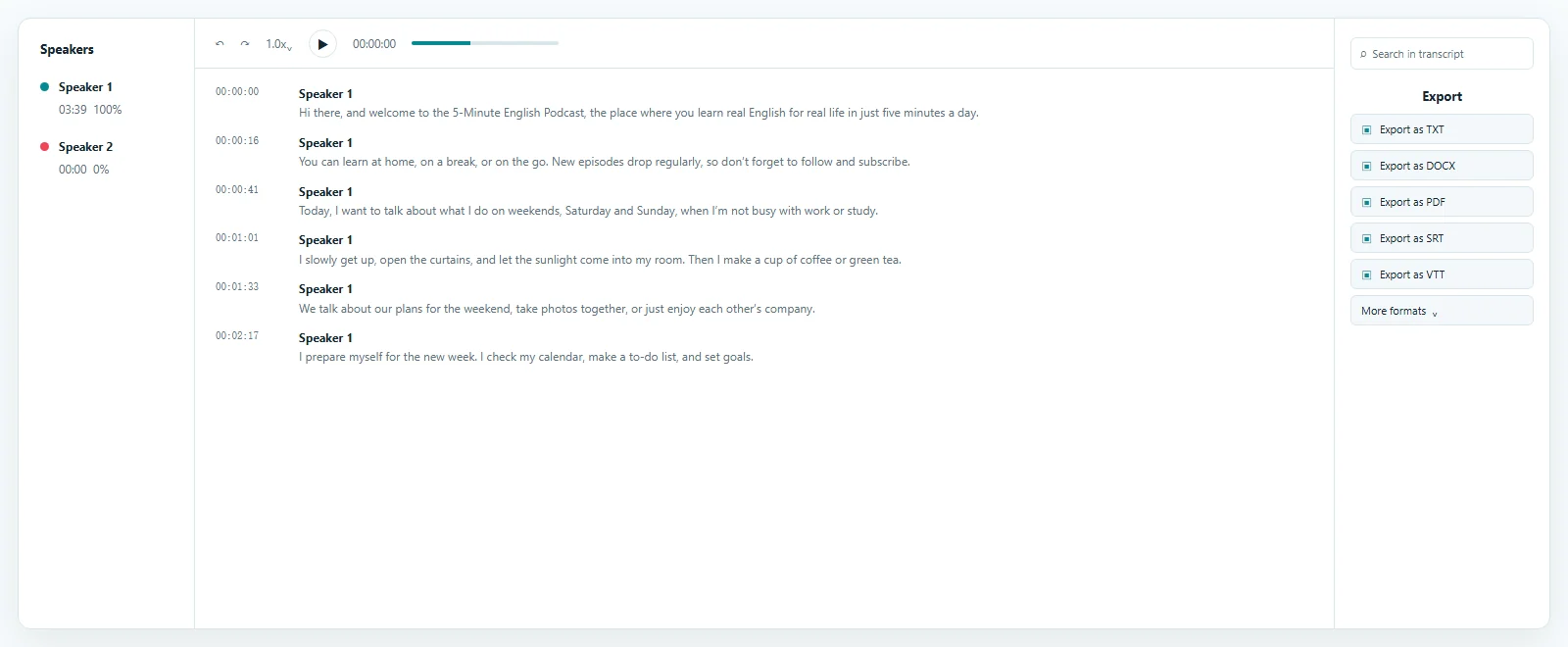
Review the transcript, summary, meeting notes, chapters, and action items. Each view stays connected to the uploaded recording for easier checking.
A practical format for everyday recordings
M4A is common for Voice Memos, interviews, lectures, meetings, and field recordings. An M4A to text transcript makes a quote, decision, name, or instruction searchable while retaining the source for review.
A free M4A to text converter online removes desktop installation and repetitive playback. Upload in a browser, choose the language, and prepare time-aligned writing from spoken content.
Choose an M4A to text converter free from installation when you need a first draft and editor together. Correct, search, summarize, translate, or download the M4A to text result. This workflow converts spoken content rather than identifying music.
Reviewable output instead of a locked result
Recording quality affects every M4A to text result. When you transcribe M4A files, clear speech and limited overlap support cleaner wording; use the original recording because repeated conversion can remove detail.
ToText keeps text beside the recording. Replay important segments, change wording, and correct speaker boundaries. This M4A voice to text and M4A speech to text process preserves human review.
Keep the source file available so final edits can be checked against playback.
Let ToText identify the language, or select one before starting.
Separate voices and replace generic labels with names.
Use segment or word timing for M4A to text review.
Provide important terms, then correct the finished transcript.
Useful wherever spoken details matter
People convert M4A to text to make recorded information easier to find and reuse. Searchable writing takes you to important details without replaying everything.
Turn ideas, reminders, and dictated notes into searchable writing.
Capture decisions and follow-up items with useful timestamps.
Verify quotations, compare responses, and share authorized records.
Prepare notes, captions, and references from spoken audio.
Move the transcript into the next workflow
M4A to text should produce a useful file. Download TXT for portable writing, DOCX for common word processors, or SRT for timed subtitle cues. ToText also supports VTT, PDF, CSV, JSON, ASS, and XLSX.
Saved edits appear in later exports. Keep timestamps and speakers for context or create a clean reading copy. An M4A to text conversion can also become a summary, meeting notes, chapters, action items, answers, or an English translation.
Create plain text or a formatted M4A to text document.
Preserve segment timing for subtitles and accessibility workflows.
Use CSV, JSON, or XLSX for transcript data workflows.
Clear controls for files and access
Your M4A to text files use encrypted connections and stay associated with your account unless you create a share link. You can delete jobs from the dashboard. Upload only recordings you own or have permission to process.
Free accounts receive 3 transcriptions per day and process the first 20 minutes of each file. Longer complete files require paid access. The M4A to text free allowance needs no credit card, but sign-in is required to save the task and apply limits.
Answers before you upload
M4A to text conversion turns spoken .m4a audio into editable words with timing for source review.
Yes. A free account can use M4A to text for the first 20 minutes of 3 files daily without a credit card.
Yes. Voice Memos commonly use M4A. Save the memo as a file, upload authorized content, and review it in your browser.
Yes. ToText provides time-aligned segments and editable speaker labels. Review timing and speaker changes against the original recording.
Export TXT, DOCX, PDF, SRT, VTT, ASS, CSV, JSON, or XLSX. Downloads use the latest saved edits.
Explore more formats and outputs
Upload an M4A recording, create editable text, verify important wording, and download the transcript in the format your next task needs.
Published · Reviewed